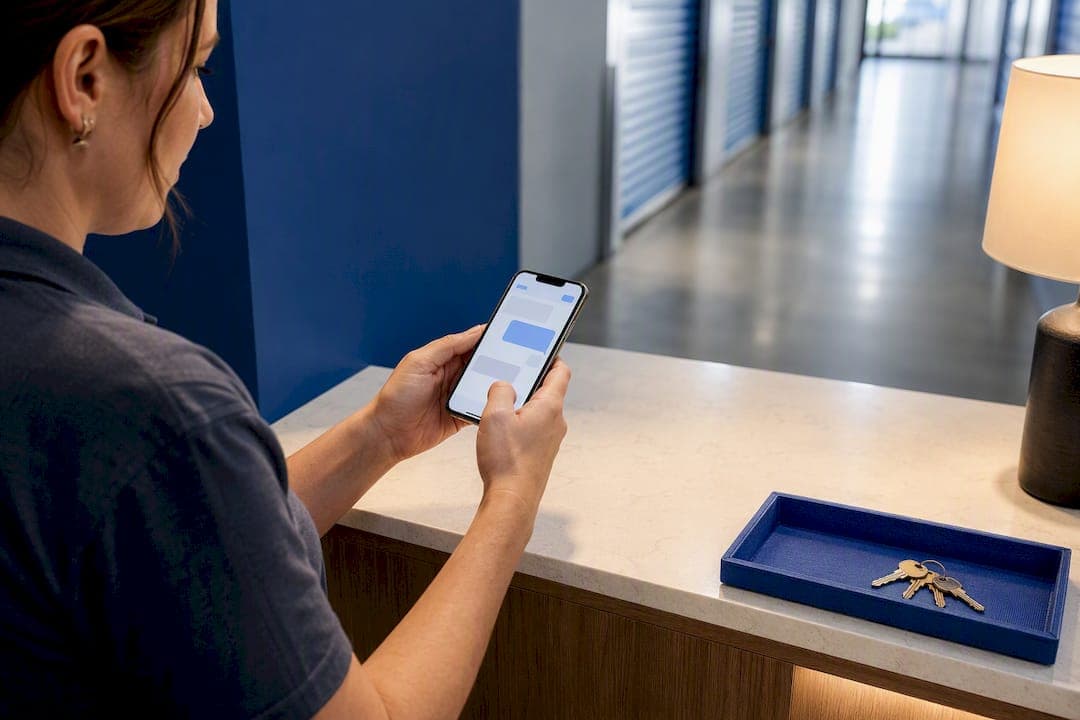
Grab your dedicated review link from Google Business Profile's "Get more reviews" panel, or manually copy the URL from the "Write a review" button on your listing. Send that link by text message within 24 hours of move-in for the highest response rate, and back it up with QR codes on receipts, gate codes, and your website so every customer has a fast way to leave feedback.
TL;DR:
- Sending review links via SMS within 24 hours of move-in yields the highest response rates, especially when combined with QR codes on receipts and signage.
- The manual review link method is simple but often results in unprofessional URLs, so shortening them improves user experience.
- Review volume and recency heavily influence local search rankings, with a steady flow of recent reviews outperforming sporadic spikes.
- Tracking review requests is essential, as multiple staff members may inadvertently ask the same customer, harming the process’s professionalism.
- Automating review requests through property management systems saves time, ensures consistency, and maintains a continuous review collection habit.
Table of Contents
- How Do You Generate a Google Review Link for Self Storage?
- Where Should You Share Your Review Link?
- When Should You Ask for a Storage Review, and What Should You Say?
- How Do Reviews Affect Local Visibility for Storage Facilities?
- How Should You Monitor and Respond to Storage Reviews?
- What A Storage-Focused SEO Practitioner Sees in the Data
- The Overlooked Part of Review Strategy Most Operators Get Wrong
- Turn Review Collection Into a Built-In Growth System
- Where to Learn More
- Sources
How Do You Generate a Google Review Link for Self Storage?
Google gives you two ways to grab a review link, and neither requires a developer or a third-party tool.
Method A: Through Google Business Profile. Log into your Google Business Profile, select the storage facility listing you want a link for, and look for the "Get more reviews" card, usually on the home tab or under the "Ask for reviews" prompt. Click it, and Google generates a short, shareable URL built specifically to open the review submission window. Copy it and you're done. This is the cleanest method because Google maintains the link and it works across desktop and mobile without modification.
Method B: Manual copy, no login required. Search your facility's name on Google, find your Business Profile panel on the right side of the results (or the top on mobile), and click "Write a review." That action opens a review modal, and the URL in your browser's address bar at that moment is your shareable link. Copy it straight from the address bar. This method works even if you don't have admin access to the profile yet, which matters if you're troubleshooting a client's account or testing before a bigger rollout.
A few practical notes before you start blasting the link everywhere:
- The manual method sometimes produces a long, ugly URL packed with tracking parameters. It still works, but it looks unprofessional in a text message.
- Shorten it with a link shortener or a branded redirect (something like yourfacility.com/review) so it reads clean in SMS and print.
- QR codes should always encode the exact review link, not your homepage or your Google Maps pin. A QR code that dumps someone on your general listing page, rather than straight into the review box, adds an extra click and kills a chunk of your response rate.
- Test every QR code on both iPhone and Android cameras before printing signage. Some code generators create images that scan fine on one operating system and stall on the other.
Pro Tip: Print a small test batch of your QR code and scan it from across a desk, not up close. Customers scan from arm's length, and a code that's too small or too busy will fail more often than you'd expect.
Once you have the link, treat it like an asset. Store it somewhere your whole team can find it. A shared drive folder or a pinned note in your point-of-sale system works fine. The official Google Business Profile support page is also worth bookmarking, since Google occasionally shifts where the "Get more reviews" control lives inside the dashboard.
Where Should You Share Your Review Link?
The link itself is only half the job. Where and when you send it decides whether it actually converts into a review.
- Text message (SMS). This is the highest-converting channel for self storage, because customers are already holding their phone and only need to tap the link to complete the review. Send it within 24 hours of move-in, while the experience is still fresh.
- Email. Slower and lower-converting than SMS, but useful for invoices, autopay confirmations, and move-out surveys, where a review link fits naturally at the bottom.
- QR codes on-site. Place them in the welcome packet, on the office door, at the gate keypad, and on printed receipts, so a customer encounters the ask multiple times without you having to say anything twice.
- A persistent website button. A "Leave us a review" button in your site footer or on your thank-you page captures customers who never got a text or forgot to act on one.
- Automated workflows. If you run property management software or a texting platform, automate the send to trigger a set number of hours after move-in confirmation.
SMS tap-through matters more than open rate for this use case. A customer doesn't need to read a long message. They need one line and a link they can tap without leaving the text thread.
For a single-location operator, this can run manually: a shared spreadsheet with move-in dates, a recurring calendar reminder, and a copy-paste text template. For multi-location operators, manual tracking breaks down fast, since staff turnover and shift changes mean requests get missed or duplicated. That's where a communications platform or property management system with built-in review triggers earns its keep, especially once you're running the same playbook across five or ten sites, a topic covered in more depth in our guide on multi-location SEO for storage.
One compliance note: if you're sending bulk SMS, confirm your opt-in language complies with telemarketing rules in your state. A one-line opt-out ("Reply STOP to opt out") in every message covers most of the basic requirements, but a quick legal review is worth the hour if you're scaling past a handful of locations.
When Should You Ask for a Storage Review, and What Should You Say?
Timing and phrasing decide whether a customer leaves a review at all, let alone a good one.
The desk ask. Right after a positive move-in, lease renewal, or a problem you just resolved well, ask in person. Keep it short: "If you have a minute this week, we'd really appreciate a quick Google review. I'll text you the link right now so you don't have to search for us." That last line matters. It removes the friction of the customer having to find your listing themselves.
The follow-up text, sent within 24 hours, might read: "Thanks again for choosing [Facility Name]! If you have 30 seconds, a quick review helps other folks find us: [link]. Reply STOP to opt out." Short, direct, no guilt trip.
Frequency rules matter as much as the script. Don't ask the same customer twice within the same rental cycle. If they ignored the first text, one gentle follow-up at the 30 or 60 day mark is reasonable. Beyond that, stop. Repeated asks read as desperate and can trigger complaints.
Log every request in whatever system you already use, even a basic spreadsheet with name, date asked, and channel used. Without tracking, it's easy for two staff members to text the same customer in the same week, which looks sloppy and annoys the person you're trying to win over.
Pro Tip: Train staff to make the ask only after something has gone right, a smooth move-in, a fast maintenance fix, a good rate negotiation. Asking after a neutral or rushed interaction produces flatter, less useful reviews.
How Do Reviews Affect Local Visibility for Storage Facilities?
Google ranks local results on three factors: relevance, distance, and prominence. Reviews are one of the clearest, most visible signals of prominence, and prominence shapes whether your listing shows up in the local three-pack when someone searches "storage near me."
What that looks like in practice:
- Listings with strong ratings and recent activity tend to pull more clicks and direction requests than listings with the same star rating but stale, months-old reviews.
- You don't need hundreds of reviews to compete in every market. Competitive metro areas often require dozens to hundreds of reviews to stand out, while smaller towns can rank well with a fraction of that.
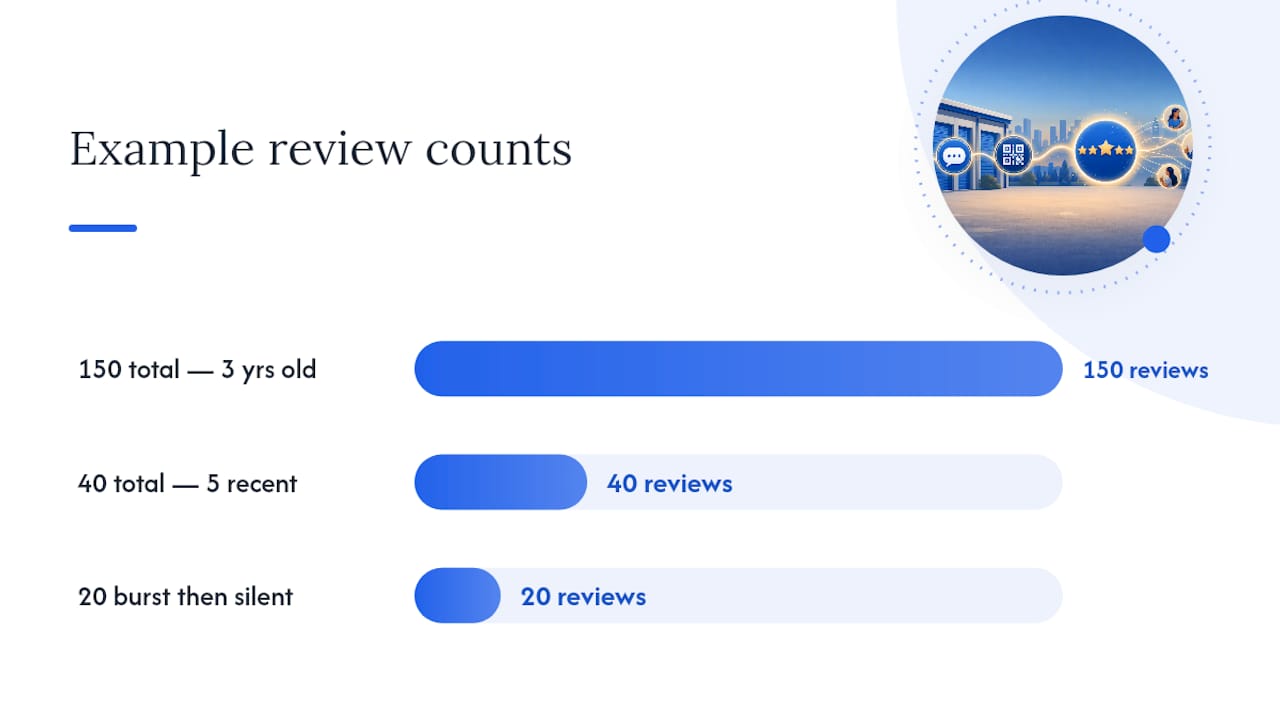
- Recency carries real weight. A facility with 150 reviews from three years ago and nothing since looks less active to both Google's algorithm and a human scrolling the search results than a facility with 40 reviews, five of them from last month.
- A steady trickle of new reviews, say, three or four a month, tends to outperform an occasional burst of twenty followed by silence, because Google and searchers both read consistency as a sign of an active, well-run business.
That's the real argument for a dedicated review link workflow instead of sporadic asks. Once collecting reviews becomes a repeatable operational habit tied to move-ins, you create predictable velocity instead of hoping someone remembers to leave feedback. Our guide on self storage local SEO tactics covers how review velocity fits into the broader local ranking picture alongside citations and keyword targeting.
How Should You Monitor and Respond to Storage Reviews?
Set up notification alerts inside Google Business Profile so new reviews land in your inbox the moment they post, and check the dashboard manually at least once a week even if alerts are working. Multi-location operators should aggregate reviews across sites into a shared spreadsheet or a monitoring tool, since checking five or ten separate profiles individually gets missed during busy weeks.
Response templates save time and keep tone consistent across staff:
- Positive review: Thank the customer by name, mention a specific detail from their review (the unit size, the staff member, the move-in speed), and keep it under three sentences.
- Negative review: Acknowledge the issue without getting defensive, invite them to contact the office directly to resolve it, and correct any factual errors calmly, never in an argumentative tone.
- Neutral or mixed review: Thank them for the feedback and note any specific improvement you're making, if applicable.
You can display reviews on your website and in ads, but keep it policy-safe: link back to the original Google review rather than screenshotting and editing text, and never cherry-pick only five-star language in a way that misrepresents the overall rating.
| Situation | Action | Timeframe |
|---|---|---|
| New review posted | Read, respond, log internally | Within 24 hours |
| Negative review with a factual dispute | Respond publicly, then follow up by phone or email | Within 24 hours |
| Recurring complaint theme across reviews | Escalate to management, document pattern | Same week |
| Multi-location review volume | Aggregate weekly via spreadsheet or tool | Weekly |
Escalate internally anytime a review mentions a safety issue, a billing dispute, or a threat of legal action. Document the customer's name, the date, and the resolution steps taken, since that record protects you if the situation resurfaces later.
What A Storage-Focused SEO Practitioner Sees in the Data
Working across storage operators nationwide, one pattern shows up constantly: facilities that treat review requests as a scheduled task, not an occasional afterthought, build stronger local visibility within a few months. Corvane Systems structures Google Business Profile optimization and messaging workflows around exactly that principle, pairing review velocity with AI-optimized content so facilities surface in both traditional search and AI-driven answers. Full implementation examples live in our storage facility review best practices guide.
The Overlooked Part of Review Strategy Most Operators Get Wrong
Most operators treat the review link like a one-time setup task: grab it once, paste it into a form email, forget about it. That's the mistake. The link itself is trivial to get. What separates facilities that climb the local pack from facilities that stall out is treating collection as an operational habit tied to specific moments, move-in, a resolved complaint, a lease renewal, rather than an occasional email blast.
Conventional advice overweights the ask script and underweights timing and consistency. A perfectly worded text sent three weeks after move-in converts worse than a clumsy one sent within 24 hours. Prioritize the trigger point first, then refine the wording.
The other blind spot: operators chase review volume and ignore recency. Google and searchers both read a facility with steady, recent activity as more trustworthy than one sitting on old review counts. If you only have bandwidth to fix one thing this month, fix your timing, not your script.
— Mike
Turn Review Collection Into a Built-In Growth System
Manual review requests work, but they're a lot of moving parts for a small team to keep running week after week: link tracking, SMS timing, QR placement, response monitoring. Corvane Systems is the flat-rate alternative to piecing this together yourself or hiring a traditional agency. It's one predictable monthly rate covering Google Business Profile optimization, local search positioning, and messaging automation built specifically around how storage customers actually search and rent.

A conversation with Corvane Systems typically starts with an audit of your current visibility across Google and AI platforms like ChatGPT, Claude, and Perplexity, followed by a short list of quick wins you can act on immediately and a longer roadmap for sustained growth. If your review workflow feels like something you keep meaning to fix, see how Corvane Systems can help your facility get found.
Where to Learn More
- Get & share your Business Profile link — Google's official instructions.
- Online reviews in self-storage — Inside Self-Storage industry guidance.
- How to get your storage facility found online — Corvane Systems implementation examples.
Sources
- Get & share your Business Profile link - Google Business Profile Help
- Online reviews in self-storage: How to cultivate and use them to your marketing advantage - Inside Self-Storage