
Yes, add UTM parameters to every clickable link on your Google Business Profile. Use utm_source=google, utm_medium=organic, and utm_campaign=gbp-listing so those sessions stay grouped under Organic Search in GA4 while remaining fully isolatable by campaign. Point every tagged link at the final canonical URL, skip redirects, and confirm each one fires correctly in GA4 Realtime before you publish it live.
TL;DR:
- Tag every clickable Google Business Profile field with UTM parameters to accurately measure specific user interactions and conversions across different pages and posts.
- Use a consistent naming convention with lowercase, utm_source=google, utm_medium=organic, and campaign-specific utm_campaign tags to ensure clean GA4 reports.
- Avoid redirects, partial tagging, or special characters that can strip or distort UTM parameters, and always test links in GA4 Realtime before publishing.
- Track GBP-related traffic in GA4 under Reports > Acquisition > Traffic acquisition by filtering for campaign names starting with "gbp-" for better segmentation.
- For multiple locations, embed location identifiers into UTM tags and verify URL integrity with tools like Screaming Frog before bulk publishing.
Table of Contents
- Which Google Business Profile Fields Need UTM Tracking Codes
- The UTM Naming Convention That Keeps GA4 Clean
- Why Redirects and Bad Encoding Break Your UTM Data
- Where to Find GBP-Tagged Traffic Inside GA4
- Scaling UTM Tags Across Multiple Locations
- Real UTM Results From Google Business Profile Posts
- Why Disciplined UTM Tagging Beats Guesswork
- Get UTM Tracking and GA4 Reporting Built for Your Storage Facility
- Sources
- FAQ
Which Google Business Profile Fields Need UTM Tracking Codes
Most operators tag the website button and stop there. That leaves money on the table. Every clickable field in your Google Business Profile dashboard can carry a tagged link, and each one deserves its own destination page, not a blanket homepage link.
Here's how to think about each field:
- Website button: point to your homepage or, for multi-location businesses, the specific location landing page.
- Booking/appointment link: send this to your booking or scheduling page directly, never the homepage, so you can measure booking-intent clicks separately from general browsing.
- Menu link (relevant for food and hospitality listings): tag the menu page URL itself, not a PDF hosted elsewhere if you can avoid it.
- Products: link each product to its own product page so GA4 can tell you which listed items actually drive clicks.
- Posts: tag the destination URL inside each Google Post, whether that's a promo landing page, a blog post, or a seasonal offer.
- Order/reservation links: treat these like booking links. Tag them to the exact transactional page, not a generic contact form.
You paste the tagged URL directly into the corresponding field in the Google Business Profile dashboard or the Merchant interface, the same place you'd normally enter an untagged link. The only difference is what comes after the question mark.
The UTM Naming Convention That Keeps GA4 Clean
Consistency is the entire game here. GA4 splits reports apart the moment you get sloppy with capitalization or campaign names, so pick a convention once and stick to it everywhere.
The conservative, GA4-friendly convention most marketers should use:
utm_source=google(some teams usegbp, either works as long as you're consistent)utm_medium=organic(keeps these sessions inside your Organic Search channel instead of splitting them into an unfamiliar bucket)utm_campaign=gbp-listingfor the main website link, orgbp-post,gbp-menu,gbp-bookingfor specific fieldsutm_contentto note a button type or a location codeutm_idif you need a stable numeric or alphanumeric campaign identifier across tools
A homepage example looks like this:
https://yoursite.com/?utm_source=google&utm_medium=organic&utm_campaign=gbp-listing
A multi-location example, tagging a specific branch's landing page:
https://yoursite.com/locations/austin/?utm_source=google&utm_medium=organic&utm_campaign=gbp-listing&utm_content=austin-tx
One rule that trips people up: never tag internal links between pages on your own site with UTMs. Doing that overwrites the original session's source data in GA4 and can trigger a new session where there shouldn't be one.
Why Redirects and Bad Encoding Break Your UTM Data
The single most common way UTM tracking fails on a Google Business Profile isn't a typo. It's a redirect chain quietly stripping your parameters before the visitor ever lands on the final page.
Here's the short list of what actually breaks tagging, in order of how often it happens:
- Redirect chains: if your tagged link passes through an intermediate redirect (a URL shortener, an old domain, a tracking pixel service) before reaching its destination, the parameters can get dropped entirely. Always link to the final URL that returns a 200 status, and check that with a redirect checker before you publish.
- Case-sensitivity mismatches:
Utm_Sourceandutm_sourceare treated differently in some setups. Lowercase everything, every time. - Special characters and double-encoding: spaces should become hyphens, not
%20twice over. Percent-encode only when Google's own Campaign URL Builder tells you to. - Partial tagging: this one matters more than people realize. Once a URL carries any UTM parameter, GA4 relies exclusively on those parameters for attribution rather than inferring source from the referrer. Tag
utm_sourcewithoututm_mediumandutm_campaign, and you'll start seeing(not set)values fill your reports.
Pro Tip: Test every tagged link on both mobile and desktop before it goes live. Open GA4 Realtime, click the link yourself, and confirm the session shows up under the exact source, medium, and campaign you intended. Thirty seconds of testing beats weeks of misattributed data.
Where to Find GBP-Tagged Traffic Inside GA4
Once your links are live and collecting data, the traffic shows up in a specific spot, and most people never look there.
Go to Reports > Acquisition > Traffic acquisition, then filter by Session campaign or Session source/medium. Any session carrying gbp-listing, gbp-post, or whichever campaign name you chose will surface immediately, separated cleanly from your general organic traffic.
A few ways to get more out of that view:
- Build a saved comparison filtering for campaigns starting with
gbp-so you can pull this segment up in seconds instead of rebuilding the filter each time. - Layer in conversion events (calls, form fills, booking completions) to see which specific GBP field is actually driving action, not just clicks.
- Cross-reference against Business Profile performance data, which reports clicks, calls, and direction requests directly, sometimes with a few days of processing lag.
That lag matters. GBP Insights tells you volume: how many people clicked, called, or asked for directions. GA4 tells you behavior: what those people did once they landed on your site, and whether it turned into revenue. Neither dataset alone gives you the full picture. Together, they close the loop between "someone found us on Google" and "that person became a paying customer."
Scaling UTM Tags Across Multiple Locations
A single-location business can manage tagging by memory. A five-location or fifty-location operation cannot, and the naming convention that works fine for one storefront falls apart fast once branches multiply.
The fix is building location identifiers directly into your tags:
- Put a city or store code in
utm_contentor fold it into the campaign name itself, likegbp-listing-austin-tx, so you can compare branch performance side by side in GA4 without cross-referencing a separate spreadsheet. - Before pushing tagged URLs through a bulk listing platform or API, confirm the platform doesn't silently overwrite your parameters on sync. Some listing management tools rebuild URLs from a template and strip anything they don't recognize.
- Maintain one canonical spreadsheet or template that every location manager pulls from, rather than letting each location invent its own naming pattern.
- Generate URLs programmatically with a URL-builder template rather than typing them by hand, then run every final URL through a crawler like Screaming Frog to confirm 200 status and intact parameters before bulk publishing.
Keeping your Google Business Profile address and category data consistent across locations also matters before you start tagging, since inconsistent listing data undermines the same measurement discipline you're trying to build.
Real UTM Results From Google Business Profile Posts
Templates only prove their worth when you've watched them work. Corvanesystems ran UTM-tagged Google Posts across self-storage clients and tracked click-through rate before and after tagging discipline was applied. The tested result moved CTR from 3.6% to 8.1%, a shift that only became visible because every post carried a distinct, trackable campaign tag instead of a bare link.
The takeaway applies past storage facilities. A copy-ready template and a short validation habit beat guesswork every time:
- Tag every GBP field with source, medium, and campaign, using the conventions above.
- Point every tag at a final canonical URL with no redirect in the chain.
- Confirm in GA4 Realtime before you consider the link "done."
That three-step sequence, canonical URL, no redirects, GA4 confirmation, is the whole checklist. Skipping any one of the three is how most tagging projects quietly fail.
Why Disciplined UTM Tagging Beats Guesswork
Most GBP measurement gaps aren't caused by missing tools. They're caused by inconsistent tagging that leaves half your campaigns showing (not set) and the other half blended into generic organic traffic. Disciplined tagging removes that blind spot and shows you, in plain numbers, which specific field or post is actually converting.
Start small: pick three GBP links this week, tag them using the convention above, validate each one in GA4 Realtime, and review the data again in seven days.
— Mike
Get UTM Tracking and GA4 Reporting Built for Your Storage Facility
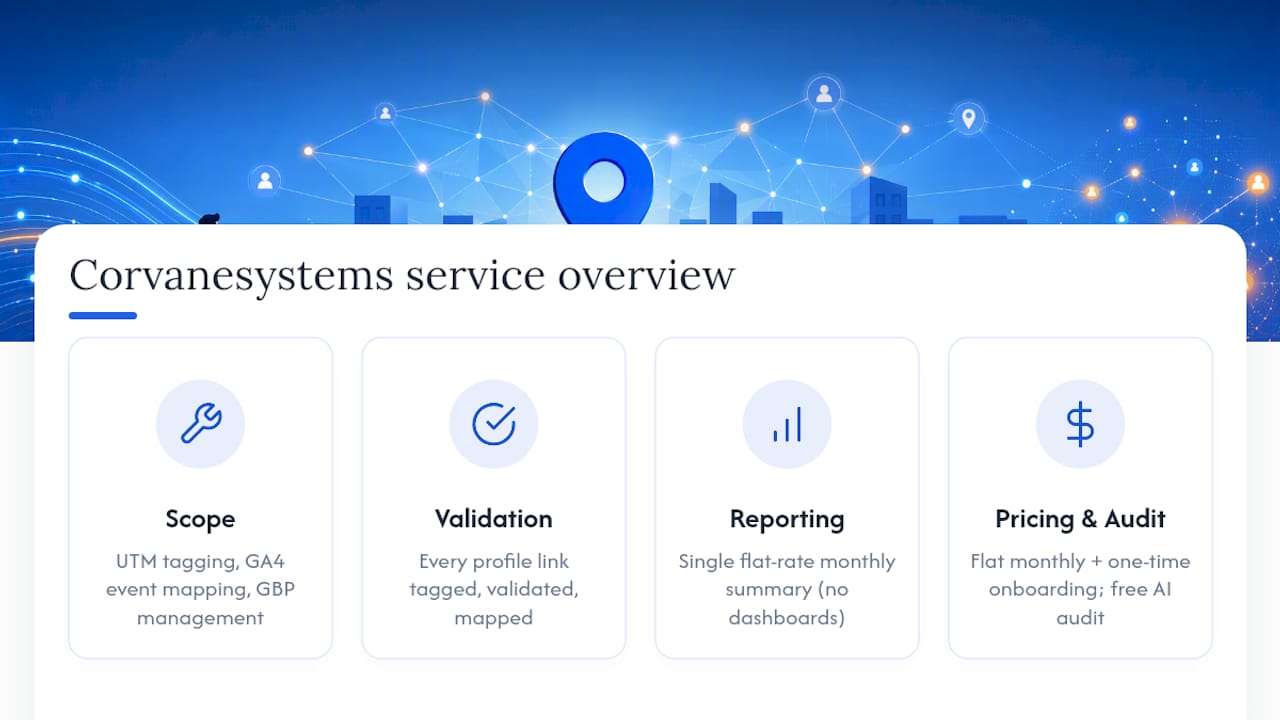
Corvanesystems is the alternative to hiring a generalist agency or piecing together tracking yourself. We build UTM tagging, GA4 event mapping, and Google Business Profile management specifically for self-storage operators, then report on all of it in one flat-rate monthly summary instead of a stack of disconnected dashboards.

That means every link on your storage facility's profile, website button, booking page, unit availability page, gets tagged correctly the first time, validated, and mapped to the conversion events that actually predict rentals. Combine that with the GA4 setup work that maps events to your rental funnel, and call tracking configured alongside your GBP data, and you get a single, coherent view of what's driving occupancy instead of three tools that don't talk to each other.
The Corvane system is offered on a flat monthly rate with a one-time onboarding fee, without contracts or tiers. Request a free AI visibility audit to see exactly where your facility's tracking and search presence stand today.
Sources
For official setup steps, see Google's Business Profile Analytics linking guide. For parameter standards and encoding rules, use Google's Campaign URL Builder documentation. For a field-by-field GBP tagging walkthrough, see Search Engine Land's UTM guide and Moz's Whiteboard Friday tutorial. For local SEO context around GBP optimization, see this GBP optimization checklist and local SEO measurement guide.
- UTMs for Google Business Profile: Track Clicks Smarter — Search Engine Land
FAQ
Does UTM tracking hurt my Google Business Profile ranking?
No. UTM parameters are tracking tags read by analytics platforms, not by Google's ranking systems, so they have no effect on local search visibility. They exist purely to help you measure where clicks come from once someone lands on your site.
What medium should I use for GBP links, organic or something custom?
Use utm_medium=organic for most small and mid-sized businesses, since it keeps GBP-tagged sessions inside your existing Organic Search channel in GA4 rather than fragmenting your reporting into an unfamiliar bucket. Larger teams building custom channel groups sometimes use gbp or local instead, but that requires extra GA4 configuration most operators don't need.
Why do my tagged links show up as "(not set)" in GA4?
This almost always means a redirect stripped your parameters, or you tagged only part of the required trio (source, medium, campaign) instead of all three. Once GA4 detects any UTM parameter, it relies on those tags exclusively for attribution, so an incomplete tag creates gaps rather than falling back to referrer data.
How often should I re-test my UTM links?
Check tagged links whenever you update your website, change hosting, or modify your redirect rules, since any of those changes can silently strip parameters. A quick monthly check in GA4 Realtime for each active GBP link catches most problems before they distort a full reporting month.
Can Corvanesystems set up and manage this tracking for my storage facility?
Yes. Corvanesystems builds UTM tagging, GA4 event mapping, and Google Business Profile management specifically for self-storage operators as part of its flat-rate monthly service, detailed on the Corvanesystems site.