Publish a short, offer-focused Google Post this week and link it to a landing page with a UTM tag, then check your Google Business Profile Insights in seven days for the click bump. Google Posts self storage campaigns work because they put your promotion directly in the search results and Maps card, ahead of the click to your website. One operator case study saw click-through rates jump from 3.6% to as high as 8.1% on individual Posts, and the mechanics below show you exactly how to replicate that.
TL;DR:
- Using offers in Google Posts significantly boosts click-through rates, with some operators seeing an increase from 3.6% to 8.1%.
- Including high-quality images (1200x900 pixels) or short videos (15-30 seconds) from real facility surroundings enhances engagement.
- Posting weekly per location maintains a 26% increase in local impressions, but batching content saves time and improves consistency.
- Tagging all Post links with UTM parameters enables precise measurement of traffic and conversions from Google Posts.
- For multiple facilities, targeted profile optimization and content strategies accelerate organic visibility and occupancy growth.
Table of Contents
- How to Create a Google Post From Your Google Business Profile
- Which Google Post Type Fits Your Storage Promotion?
- Creative Rules That Actually Move Clicks
- How Often Should You Post, and Who Owns It?
- How Do You Measure Whether Google Posts Are Working?
- Why Specialized SEO Support Makes GBP Posts Work Harder
- The Real Bottleneck Isn't Posting, It's Consistency
- Get Google Posts and Your Whole Profile Working Together
- Sources
How to Create a Google Post From Your Google Business Profile
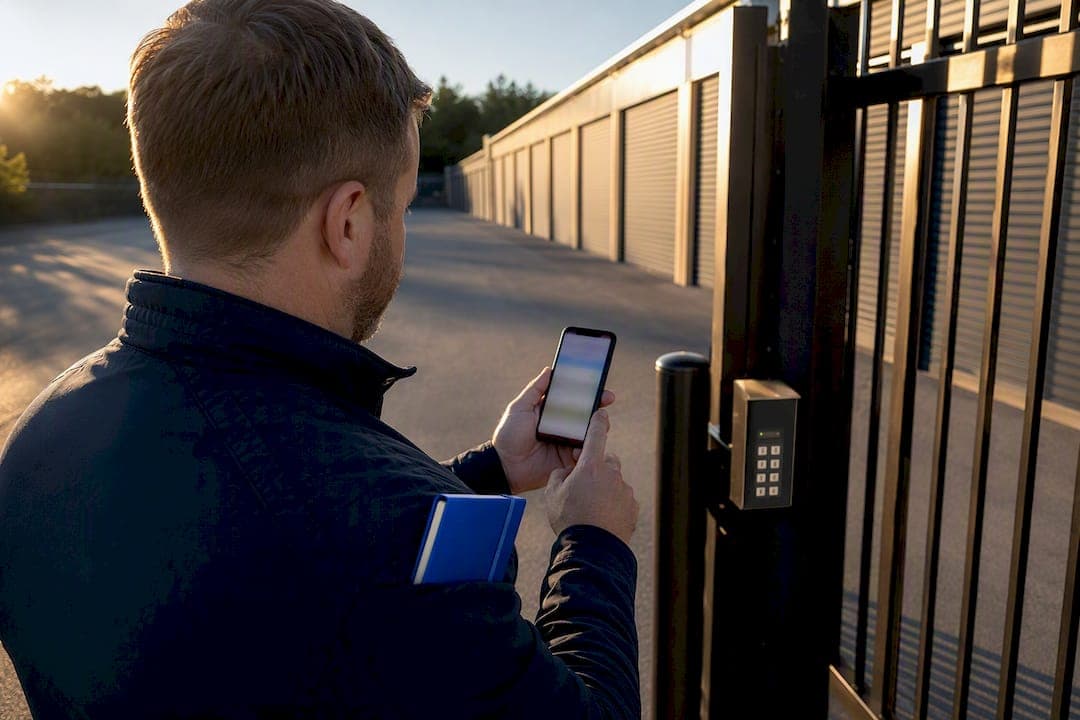
Creating a Google Post takes less time than writing a Facebook caption, and you can do it from a phone in a parking lot between move-ins. The process is nearly identical on desktop and mobile, with a few interface differences worth knowing before you start.
On desktop:
- Go to business.google.com and sign in, or search your facility name on Google and click "Manage now" from the Business Profile that appears.
- If you manage multiple facilities, select the correct location first.
- Click "Posts" or "Add update" in the left menu.
- Choose a post type (more on that below), write your copy, upload an image or video, select a call-to-action button, paste your tagged link, and hit publish.
On mobile, open the Google Maps app, tap your business profile photo or the "Business Profile" icon, and tap "Add update." Same fields, smaller screen.
A few operational details trip up first-time posters. Offer and Event posts include optional start/end date fields and, for Offers, a coupon code and terms field. Standard "What's New" posts have no date fields and simply expire after seven days unless you tied them to an event's end date. You can edit a live post's text and image after publishing, but you cannot change the post type once it's live. Before you post anything, confirm your listing is under the correct Self-Storage Facility category rather than a generic "storage" label, since category mismatches quietly suppress how often Posts surface.
Which Google Post Type Fits Your Storage Promotion?
Google gives you four post formats, and picking the wrong one wastes the slot. Match the format to what you're actually trying to move.
- Offers carry a title, valid dates, a coupon code field, and terms. Use this for a first-month-free promotion or a seasonal move-in discount. This is the format that drove the 3.6% to 8.1% CTR jump in operator testing.
- What's New is a general update with no expiration logic tied to dates. Use it for holiday hours, a new gate-code system, or a security camera upgrade.
- Events requires a start and end date and works for anything time-bound: a community shred day, a customer appreciation cookout, or a local partnership.
- Products lets you showcase an item with a price. Storage operators underuse this one, but it's built for packing supplies, boxes, mattress bags, or truck rental add-ons sold at the front desk.
For Offers, pair the post with a "Redeem Offer" or "Learn more" CTA pointing to your rental page. For Events, use "Sign up." For What's New, "Call now" or "Visit website" both work depending on whether you want the phone to ring or the site to convert.
Creative Rules That Actually Move Clicks
Copy and image quality decide whether a Google Post gets ignored or gets clicked, and the specs are more forgiving than most operators assume, but not infinitely forgiving.
Images should run at 1200 by 900 pixels (a 4:3 ratio) and show something real: a clean unit interior, the gate and keypad, a drive-up bay, not a stock photo of unrelated boxes. Listings with quality photos see 42% more direction requests and 35% more click-throughs than listings without them, and that gap shows up in Posts too, since a blurry or generic image gets scrolled past in the same half-second a searcher spends deciding.
Video works best landscape (16:9), trimmed to 15 to 30 seconds. A quick facility walkthrough or a 20-second message from the manager beats a polished ad. Video from an actual owner or team member builds trust faster than any stock asset, because searchers can tell the difference between a real person and a template.
Copy should follow a tight formula: one-line hook, one-line offer detail, then the CTA button does the rest. Do not put your phone number in the post text. Google can remove posts that embed phone numbers, since the platform wants calls routed through the profile's Call button, not typed digits.
Quick templates to steal:
- Offer: "First month free on any 10x10." "New tenants only, this month. Reserve your unit before it's gone." CTA: Redeem Offer.
- What's New: "We're open extended hours through the holidays." "Gate access now runs until 10 PM daily." CTA: Learn More.
- Trust builder: "Meet the team who'll actually answer when you call." Short video, manager on camera. CTA: Call Now.
Pro Tip: Batch three months of photos and one manager video in a single afternoon. You'll never scramble for a visual asset at 4:45 on a Friday again.
Weekly posting also correlates with a 26% average increase in local impressions, which means the creative work above compounds the more consistently you show up.
How Often Should You Post, and Who Owns It?
Cadence matters more than most operators expect, and it scales differently depending on how many locations you run.
For a single facility, post weekly. That matches the cadence tied to the 26% impression lift mentioned above, and it's frequent enough to keep your listing looking active without burning out whoever's writing the copy. For multi-location operations, weekly per location is ideal, but biweekly is acceptable if resources are tight, as long as every location gets something.
A workable delegation process:
- Build a shared image and video library, organized by facility, refreshed quarterly.
- Create three or four copy templates (offer, update, event, trust builder) with blank fields for local details.
- Assign one person per region to fill in local specifics and submit for a quick manager approval.
- Set a recurring calendar alert tied to each post's expiration so nothing goes stale for weeks unnoticed.
Pro Tip: A shared template plus a localized-fields approach keeps your brand voice consistent across multiple locations without forcing every regional manager to write from scratch.
How Do You Measure Whether Google Posts Are Working?
Insights inside your Business Profile dashboard show views, clicks, calls, and direction requests broken out by time period, and that's your first stop after any post goes live. Watch the click count specifically against the post's view count. A high view, low click ratio usually means the CTA or offer isn't compelling enough, not that nobody saw it.
The bigger unlock is UTM tagging every link you put in a Post. A clean scheme looks like this:
| Parameter | Example value |
|---|---|
| utm_source | GBP |
| utm_medium | Post |
| utm_campaign | GMB_Post_[location name] |
Build it with Google's Campaign URL Builder, paste the tagged link into your Post, and you'll see post-driven sessions land as a distinct segment inside Google Analytics rather than getting lumped in with generic "Google / organic" traffic. This is also how you run a real CTA test: publish the same offer with "Redeem Offer" one week and "Learn More" the next, keep everything else identical, and compare the tagged session counts.
Why Specialized SEO Support Makes GBP Posts Work Harder
Posts alone move clicks. Posts paired with a properly structured profile, consistent NAP data, and content built to surface in AI-driven search results move occupancy. That's the gap Corvanesystems closes for storage operators: Google Business Profile optimization, AI visibility audits across tools like ChatGPT and Perplexity, and monthly content built to get recognized by both search engines and generative answer engines.
A reasonable rule for deciding whether to keep posting in-house: if you're running one facility and can commit to weekly posts without it slipping, do it yourself. If you're managing three or more locations, or you've noticed competitors outranking you in AI Overviews and local packs simultaneously, that's the point where specialized help pays for itself faster than trial and error does.
The Real Bottleneck Isn't Posting, It's Consistency
Most self-storage operators don't fail at Google Posts because they don't understand the platform. They fail because the fifth week arrives, the manager who was writing posts gets pulled onto move-in season, and the listing goes quiet for two months. The conventional advice, "post regularly," treats consistency as a willpower problem. It's actually a workflow problem, and the fix is the batching system covered above, not another reminder to try harder.
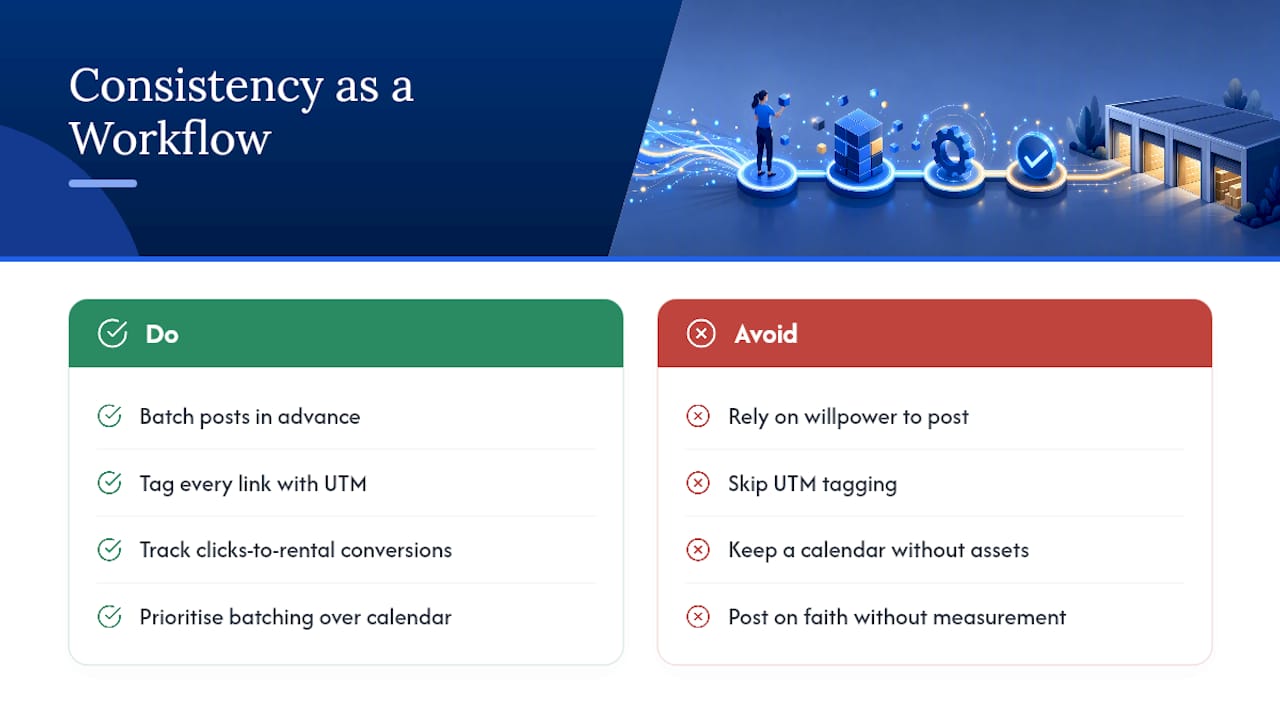
The other overlooked piece is measurement. Plenty of operators post weekly for a year and never once check whether clicks converted into a rented unit, because UTM tagging felt like one extra step too many. Skip that step and you're posting on faith. Tag every link, even on the weeks you're tempted not to bother, because that's the only way to know if "Redeem Offer" is actually outperforming "Learn More" for your specific market.
If you take one thing from this guide, make it the batching workflow, not the posting calendar. A calendar without assets behind it just becomes another task nobody has time for.
— Mike
Get Google Posts and Your Whole Profile Working Together
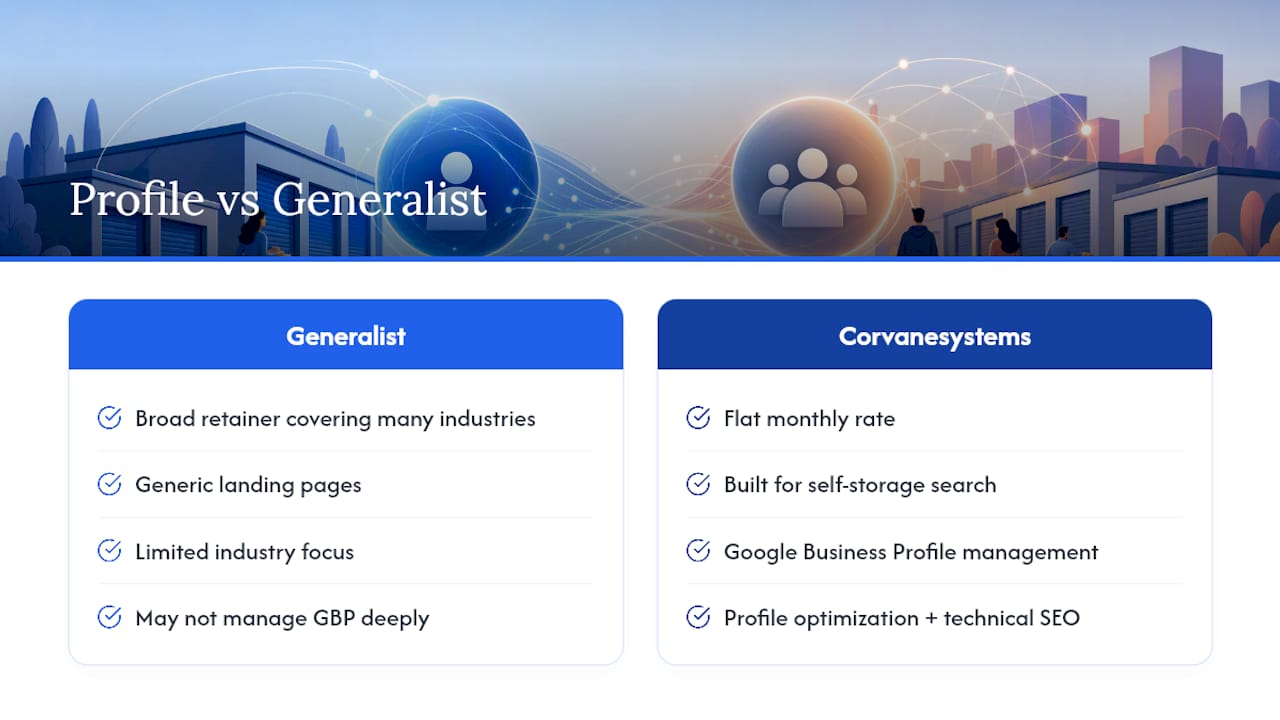
Corvanesystems is the alternative to hiring a generalist marketing agency for storage-specific local visibility: instead of a broad retainer covering every industry under the sun, you get a flat monthly rate built entirely around self-storage search behavior, Google Business Profile management, and AI visibility across ChatGPT, Claude, Perplexity, and Google's AI Overviews.

Corvanesystems handles the profile optimization, the content calendar, and the technical SEO work that makes your Posts land on a site structured to convert, not just a generic landing page. That includes multi-location workflows for operators managing several facilities under one brand, competitor tracking so you know exactly where you're losing local visibility, and monthly reporting that shows keyword movement and organic traffic in plain numbers.
If you're managing more than one location or you've never checked whether your Posts are converting, visit Corvanesystems and request a visibility audit to see exactly where your profile stands today.
Sources
A few resources worth bookmarking before your next posting session:
- Promoting Your Self-Storage Business Using a New Feature: Google Posts
- Convert More Self Storage Leads With Google Posts
- Self-Storage SEO: Taking Control of Your Google Business Profile
- Google Business Profile for Storage Facilities - Boxwell