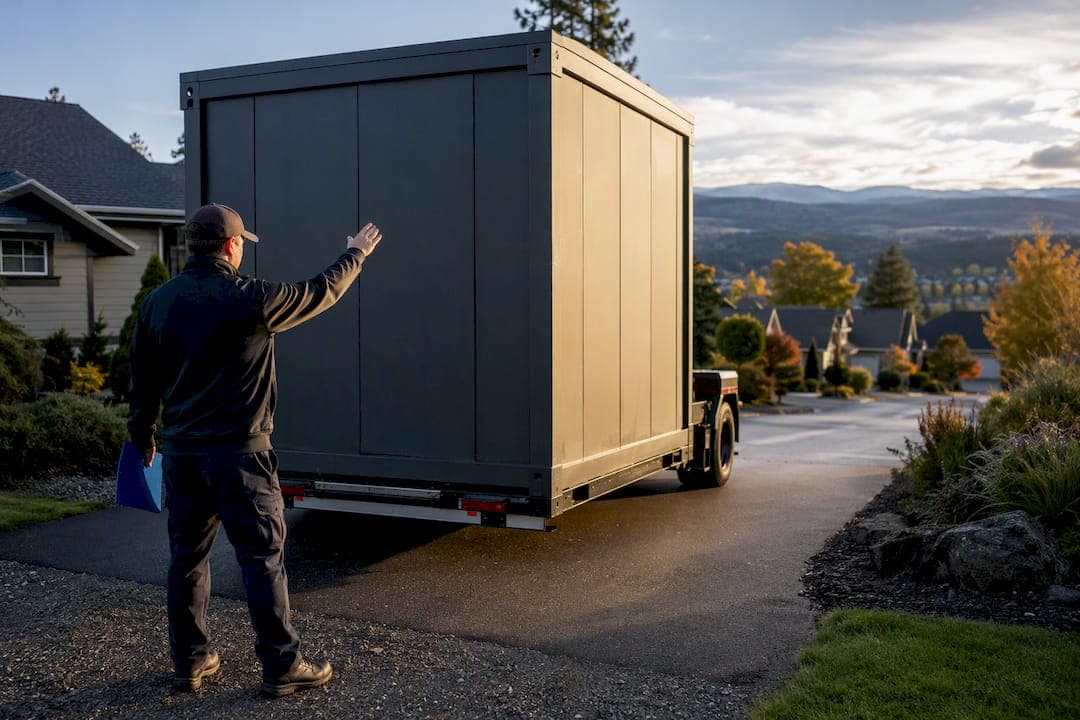
Service area pages are the right move for any storage operator who delivers containers, manages remote units, or serves customers across a region without a public front door. The two things to do this week: pick your cluster strategy (group by county or corridor, never by individual zip code), then publish one detailed local page for that cluster with real delivery fees, transit times, and access rules. After it's live, track local search queries and call/booking conversions to see if it's working.
TL;DR:
- Creating clustered service area pages based on counties or regions boosts SEO rankings and avoids duplicate content issues compared to building individual zip code pages.
- Each service area page must clearly state logistics details, including delivery fees, drive times, access rules, and availability, to improve conversions and AI search performance.
- Proper technical SEO setup requires unique URLs, specific schema markup, accurate meta descriptions, and internal linking to boost visibility and avoid penalties.
- Regular updates every quarter are necessary to ensure pricing, logistics, and service zones reflect current operations and prevent outdated information.
- Avoid templated pages with identical content; instead, tailor logistics and offerings per cluster to enhance search ranking and customer trust.
Table of Contents
- What Are Service Area Pages, and Which Storage Businesses Need Them?
- Service Area Pages vs. Location Pages: Making the Right Call
- Why Service Area Pages Matter for Rankings and AI Search
- The Build Playbook: Clustering, Content Blocks, and Page Templates
- Technical SEO Checklist for Service Area Pages
- What Actually Converts: Logistics, Proof, and Copy That Removes Doubt
- Measuring Results and Running Simple Tests
- Corvane Systems' Approach to Storage-Specific Local Pages
- Handling Overlapping Service Areas and Multi-Location Coverage
- Linking Service Area Pages Into the Rest of Your Site
- Keeping Service Area Pages Current as Your Business Grows
- Compliance and Advertising Considerations for Service Area Content
- The Real Reason Most SAP Rollouts Fall Flat
- Building Service Area Pages Without the Guesswork
- Sources
- FAQ
What Are Service Area Pages, and Which Storage Businesses Need Them?
A service area page (sometimes called a city landing page) is a page built for a location you serve but don't operate a public storefront in. It's different from a location page, which describes a physical address customers can walk into. If your storage business drops containers at customer homes, manages remote drop-off points, or delivers units to job sites across three counties, you need service area pages, not location pages, because there's no storefront to advertise.
This distinction matters more than most operators realize. A facility with one address and a fenced lot needs a location page for that address, full stop. But a portable storage company that delivers containers to driveways across a 40-mile radius, or a facility that offers pickup and drop-off logistics beyond its own gates, needs a different structure entirely: individual pages that answer "do you serve my area" for each community it reaches.
Storage businesses that typically need SAPs include:
- Portable container delivery companies (PODS-style operators) serving multiple counties from one warehouse.
- Facility-based operators offering pickup/drop-off logistics to nearby towns their storefront doesn't directly serve.
- Mobile storage brokers who partner with multiple facilities but market under one brand.
- Moving-and-storage hybrids that deliver empty containers, then retrieve and store them off-site.
The core difference from a location page comes down to physical presence. A location page describes where you are; a service area page describes where you go. Search engines treat these differently, and conflating them is the single most common mistake operators make when they expand into new markets without opening new facilities.
Service Area Pages vs. Location Pages: Making the Right Call
The decision tree here is simpler than most guides make it sound. If customers can visit an address, that address gets a location page. If you only reach a community through delivery, dispatch, or remote service, that community gets a service area page. Mixing the two, or worse, building a location page for a place where you have no physical presence, creates real risk.
Google and other search engines penalize pages that imply a false physical presence. A service area page must state clearly that you serve a region without claiming an address there. List a phone number and a real service radius. Skip anything that looks like a fake storefront: no invented suite numbers, no map pins dropped on a residential street, no "visit us" language for a place you've never set foot in.
Here's how to sort it:
- Location page: You own or lease a facility at this address; customers can tour units or pick up keys in person.
- Service area page: You deliver, dispatch, or service this area from a facility located elsewhere.
- Hybrid page: A single facility legitimately serves several nearby towns, and you want one page that names all of them without duplicating content five times over.
The hybrid case trips people up. Say your one facility in a mid-sized city also serves three neighboring suburbs with delivery. You don't need three thin pages that just swap the city name. Build one strong page for your facility (a location page), then a single regional service page that names the surrounding communities and explains your delivery radius from that hub. That approach keeps your content substantive instead of duplicating the same 200 words with a find-and-replace on the town name.
Why Service Area Pages Matter for Rankings and AI Search
Service area pages exist to capture a very specific kind of search: "service plus location." Someone typing "portable storage delivery Round Rock" or "storage unit pickup near me" isn't looking for your homepage. They're looking for proof you reach their exact town, and a generic "we serve the whole region" page won't rank for it the way a dedicated, detailed page will.
The conversion math backs this up. Storage customers hesitate mostly over logistics, not price. Explicitly answering "will you deliver to me" and "how long will it take" lifts conversions more than vague coverage claims, because it removes the exact doubt that makes someone bounce to a competitor's site. A page that states a flat delivery fee and a same-day or next-day window does more conversion work than five paragraphs of brand copy.
There's also a newer reason this matters: generative AI tools. When someone asks ChatGPT or Google's AI Overviews "who delivers storage containers near [town]," the systems pull from pages with clear, quotable, local specifics, not marketing fluff. Content organized around user needs rather than keyword lists performs better in AI-driven answer formats, because those formats favor short, direct, answerable passages over dense SEO copy. A page that plainly states "we deliver to Round Rock with a $150 flat fee and next-day availability" is far easier for an AI system to lift and recommend than a page stuffed with location keywords and no real content.
The Build Playbook: Clustering, Content Blocks, and Page Templates
Building service area pages one zip code at a time is the fastest way to create a doorway-page problem. Search engines flag large batches of near-identical pages differentiated only by a swapped town name, and customers notice the thinness too. The fix is clustering: grouping service areas by county, delivery corridor, or metro region so each page carries genuine substance instead of a copy-paste template.
Here's the build sequence:
- Map your actual service radius. Pull delivery logs or dispatch records to see which towns you genuinely serve often versus rarely. Don't guess.
- Rank clusters by demand. If you have limited content resources, prioritize your highest-intent markets (the cities with the most search volume or existing bookings) for full standalone pages, and route lower-intent towns to a shared hub page.
- Draft the content blueprint per page (see below).
- Set URL and heading conventions before you write page one, so page fifty follows the same pattern.
- Publish the highest-priority cluster page first and use it as your internal template.
For the content blueprint, every page needs six blocks in this order: a local headline naming the cluster, an opening paragraph that states your service radius in plain language, a service list specific to that area (container delivery, unit pickup, whatever applies), a logistics block, local proof, and a single clear call to action.
The logistics block is where storage pages either win or lose the sale. Spell out delivery fees, drive times from your hub to that cluster, gate hours if the customer will access a facility, and any access restrictions (gated communities, HOA rules, apartment complex loading zones). Operators who list per-community drive times and delivery windows consistently convert better than pages that just name-drop cities without backing them up with real detail.

URL structure should follow a predictable pattern: yourdomain.com/service-areas/county-or-cluster-name. Title tags should read something like "Storage Container Delivery in [Cluster Name] | [Fee/Timeline Detail]" rather than a generic "Storage Services." Header structure should mirror the content blocks: an H1 naming the cluster, H2s for services and logistics, and an H3 for FAQs specific to that area.
Pro Tip: Write the logistics block first, before the marketing copy. If you can't answer delivery fee, drive time, and access rules for a cluster, you're not ready to publish that page yet, no matter how good the rest of the copy reads.
Technical SEO Checklist for Service Area Pages
Getting the content right solves half the problem. The other half is making sure search engines can index these pages correctly without flagging them as duplicate or low-value content, which happens more often than operators expect once they scale past ten or fifteen clusters.
Cover these technical basics:
- Title tags: pair the specific service with the locality, e.g., "Container Storage Delivery Serving Travis County," not a bare list of city names.
- Meta descriptions: mention one concrete detail (flat fee, delivery radius, response time) instead of generic marketing language.
- Schema markup: use Schema, to tell search engines exactly which regions you serve without claiming a physical address you don't have there.
- Canonical tags: if two cluster pages ever overlap in content, canonicalize the thinner one to the stronger page rather than letting both compete.
- Sitemap inclusion: every published cluster page belongs in your XML sitemap, but don't submit placeholder pages before they're written.
- Internal linking: link every service area page from a central "service areas" hub page, and add breadcrumbs so both users and crawlers understand the hierarchy.
The schema piece deserves extra attention because it's where operators most often overreach. Only populate LocalBusiness fields that reflect reality. If you don't have a public address in a cluster, don't fill in the address field just to look more established; use the serviceArea property instead, which is exactly what it exists for.
For internal linking, treat your service area hub the way a retailer treats a store locator: one central page linking out to every cluster, plus a link back from each cluster page to your main services and pricing pages. This is also where a resource like Denver County Web Design's guide on scaling local pages is worth a look, since the linking patterns that work for home service contractors translate directly to storage operators managing a similar spread of service regions.
What Actually Converts: Logistics, Proof, and Copy That Removes Doubt
Storage customers don't stall on your brand story. They stall on unanswered logistics questions: will you actually show up, how much will it cost, and how fast can it happen. The pages that convert best answer these before the visitor has to ask.
The specifics that matter most:
- Flat delivery fees stated as a number, not "contact us for pricing."
- Transit time or drive time estimates from your hub to that community.
- Parking, gate, or loading-zone instructions for the delivery crew.
- Access hours if the customer will visit a facility as part of the service.
- A link to real-time unit availability where you have it, or a scheduling widget if you don't.
- One or two local testimonials specific to that community, not generic five-star quotes pulled from anywhere.
Treat each page like a small funnel: state local relevance in the first line, answer the logistics questions next, show availability or a booking option, then close with one clear call to action. That structure reduces the friction between a search query and an actual booking far more reliably than a page that leads with brand messaging and buries the delivery fee three paragraphs down.
Pro Tip: Test one microcopy line: "We deliver to [Town] in [X] business days for a flat $[Y] fee, no hidden charges." That single sentence, placed above the fold, often does more conversion work than an entire paragraph of marketing copy.
Measuring Results and Running Simple Tests
Track four numbers per cluster page: impressions for service-plus-city search terms, clicks on those same terms, click-to-call events, and units booked that you can trace back to that specific page. Google Search Console's page filter and query filter get you the first two. UTM parameters on your call and booking buttons get you the rest.
A simple test plan for a new or underperforming cluster page:
- Set a 60-day window and pick 3 to 5 comparable cluster pages as your test group.
- Change one variable per test, such as adding a drive-time detail or swapping a generic testimonial for a location-specific one.
- Compare click-to-call rate and booked units before and after, not just traffic.
- Decide and roll out: if the change lifts conversions by a meaningful margin, apply it across every cluster page; if not, revert and try a different variable.
Don't judge these pages purely on traffic. A page with modest impressions but a high call rate is doing its job better than a page with ten times the traffic and no bookings to show for it.
Corvane Systems' Approach to Storage-Specific Local Pages
Building service area pages at scale is where most storage operators run out of time, not ideas. Corvanesystems works with storage facility operators specifically, and the checklist we run through on every service area build covers three things most generic SEO advice skips: entity signaling (making sure search engines and AI systems understand exactly what you offer and where), GEO optimization for how AI assistants surface and quote your pages, and a measurement routine tied to actual bookings rather than vanity traffic metrics.
If your budget is tight, prioritize in this order: pick your highest-demand cluster first, build the logistics block before anything else on that page, and add a real-time availability link if you have one. Everything else, like extra photography or expanded proof sections, can follow once the fundamentals are live.
[Case study placeholder: results from a Corvane client's cluster page rollout to be added.]
Handling Overlapping Service Areas and Multi-Location Coverage
Multi-location storage operators run into a specific problem: two facilities might legitimately serve the same town, and building separate pages for each creates duplicate content fast. The fix isn't to pick a winner and ignore the overlap. It's to be explicit about which facility handles which part of the shared territory.
If Facility A and Facility B both deliver to a shared suburb, write one page for that suburb and name both facilities, along with which one handles delivery on which days or under what conditions (closer facility gets standard delivery, the other covers overflow). This avoids two nearly identical pages competing against each other in search results, a problem known as keyword cannibalization, where your own pages undercut each other's rankings instead of a competitor's.
Where coverage genuinely splits by sub-region (Facility A covers the north half of a county, Facility B covers the south), it's fine to build two pages, but make the boundary explicit in the content itself: name the exact towns each facility covers rather than both claiming the whole county. Vague, overlapping claims confuse both search engines and customers trying to figure out which location to call.
Review overlap annually at minimum. As you add facilities or delivery routes, older service area pages need updates to reflect the new territory split, not a fresh page bolted on top of an outdated one.
Linking Service Area Pages Into the Rest of Your Site
A service area page that only links to itself is a dead end, both for users and for crawlers trying to understand your site structure. Every cluster page needs at least two paths back into your core site: one to your main services or pricing page, and one to a central hub page listing every area you serve.
Build that hub as a genuine navigation tool, not an afterthought buried in the footer. A simple "Service Areas" page linked from your main navigation, listing every cluster with a one-line description and a link, gives both visitors and search engines a clear map of your coverage. Breadcrumbs on each cluster page (Home > Service Areas > [Cluster Name]) reinforce that hierarchy further.
Cross-link related clusters where it makes sense geographically. If someone lands on your page for one county, a "we also serve" link to an adjacent cluster keeps them on your site instead of bouncing back to search results. Avoid linking every page to every other page, though. That kind of link pattern looks manipulative to search engines and adds no real value to a visitor who only cares about their own area.
Resources like Omnivance Media's guide on building local SEO presence cover navigation patterns that apply just as well to storage operators managing a spread of service pages as they do to the professional services audience it was written for.
Keeping Service Area Pages Current as Your Business Grows
Service area pages go stale faster than most site content because they're tied to operational realities: delivery fees change, drive times shift when you open a new facility, and gate hours get updated. A page with outdated fee information doesn't just look sloppy. It creates a bad customer experience when someone calls expecting one price and hears another.
Set a recurring review cadence, quarterly at minimum, to check every cluster page against current pricing, delivery zones, and access rules. When you expand into a new area, don't just bolt on a new page and forget the neighboring ones. Check whether the new territory changes drive times or delivery logic for existing clusters nearby.
When you drop a service area (a route that never got traffic, or a region you've stopped serving), don't leave the page live with stale claims. Either update it to reflect current reality or redirect it to your service area hub page so you don't leave a dead promise indexed and discoverable.
Track which pages haven't been touched in over a year. Those are your highest-risk pages for outdated information, and they're often the ones ranking on outdated logistics details that no longer match what your dispatch team can actually deliver.
Compliance and Advertising Considerations for Service Area Content
Service area pages make specific claims: delivery fees, response times, coverage zones. Those claims carry the same truth-in-advertising expectations as any other marketing content, and getting them wrong creates more than an SEO problem.
Don't state a flat fee on a page if your actual pricing varies by distance or job size; note the conditions under which the flat rate applies, or state that pricing depends on distance and provide a way to get an exact quote. The same goes for delivery windows. If "next-day delivery" only applies to certain zones within your cluster, say so on the page rather than letting the customer assume it applies everywhere in that cluster.
If your business operates under state or local licensing requirements for storage or moving services, that information belongs somewhere on your site, even if it's not on every individual service area page. Some states regulate moving and storage-adjacent services more closely than others, so check your state's requirements rather than assuming a national standard applies.
Avoid claiming a service area you can't actually fulfill reliably just because it would help rankings. A page that says you serve a 60-mile radius when your dispatch reality tops out at 40 miles creates real customer complaints, and that kind of mismatch tends to surface in reviews faster than in search rankings.
The Real Reason Most SAP Rollouts Fall Flat
The biggest mistake storage operators make with service area pages isn't skipping them. It's templating them: writing one strong page, then swapping the city name fifty times without changing anything else. Search engines catch this pattern quickly, and customers catch it even faster.
Fix it today by opening your three highest-traffic service area pages and checking whether the logistics block, actually different fees, actually different drive times, actually different gate hours, or if they're identical text with a find-and-replace on the town name. If they're identical, that's your starting point.
If you want a clearer read on where your pages currently stand with both search engines and AI tools, Corvanesystems' free AI visibility audit is a good next step.
— Mike
Building Service Area Pages Without the Guesswork
Corvanesystems is the alternative to hiring a general-purpose SEO agency for storage service area pages: we work exclusively with self-storage operators, which means every recommendation in this article, from cluster strategy to logistics blocks to schema markup, is something our system is already built to execute for your facility specifically.

The full Corvane system runs at a flat $299 per month, with a one-time $50 onboarding fee, no contracts and no tiered pricing to navigate. That covers technical and on-page SEO audits, local search positioning built around "storage near me" queries, 30 AI-optimized articles published monthly, and AI visibility audits across ChatGPT, Claude, Perplexity, and Google's AI Overviews so you know exactly how your facility appears when someone asks an AI assistant where to rent a unit. If your site needs a stronger foundation before any of this content work can land, Corvanesystems also builds custom websites for storage facilities.
Start with the free AI visibility audit to see where your current service area pages stand and what's missing before you write another one.
Sources
FAQ
Can You Give an Example of a Good Service Area Page?
A strong example names the served community, states a flat delivery fee, lists an estimated drive time, and links to real-time availability, rather than just listing a city name with generic service copy.
What Are Location Pages, and How Do They Differ From Service Area Pages?
A location page describes a physical address customers can visit, while a service area page describes a community you serve without a storefront there; storage operators need both when they operate a facility and also deliver beyond it.
Are Service Area Pages Actually Important for SEO?
Yes. They let businesses without a storefront rank for specific service-plus-location searches and give AI search tools the local, quotable detail needed to recommend a business by name.
How Much Does It Cost to Get Help Building Service Area Pages?
Corvanesystems offers the full system, including SAP strategy, content, and AI visibility work, for a flat $299 per month with a one-time $50 onboarding fee.