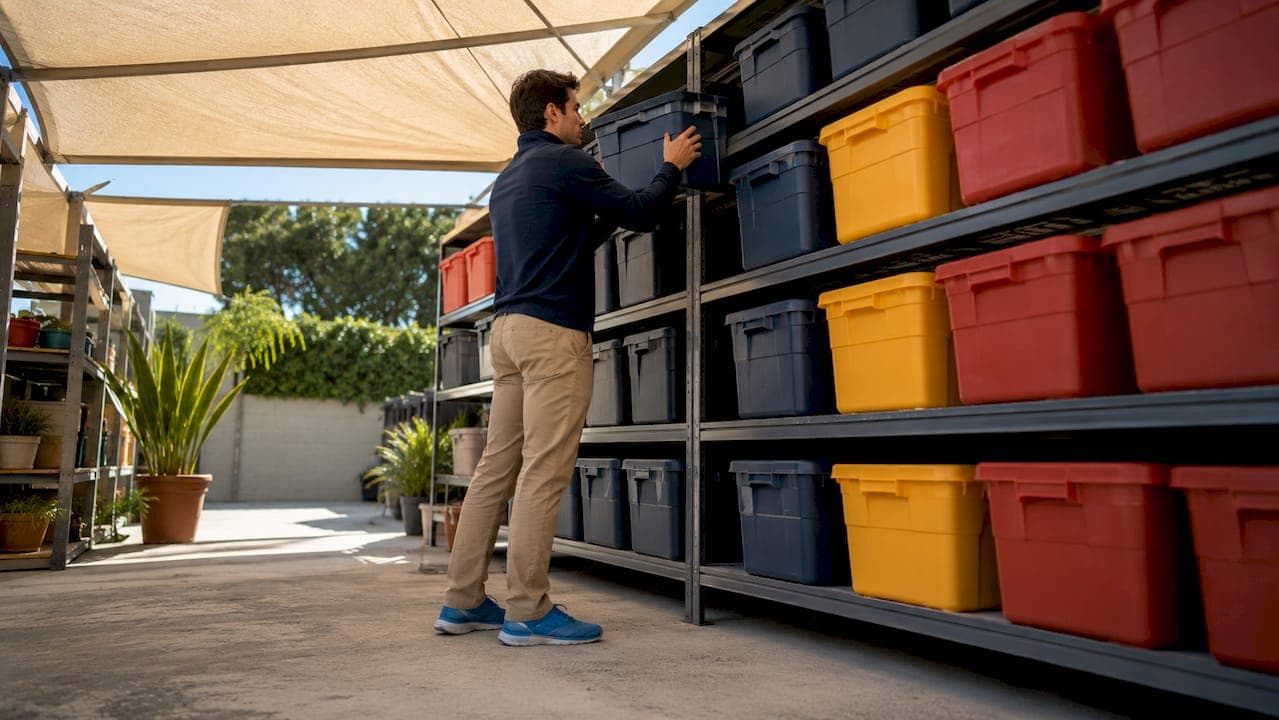
A well-organized storage unit is defined by one principle: every item has a location you can find in under two minutes. The best examples of storage unit organization systems combine a zone-based layout, freestanding shelving, uniform containers, and digital inventory tools like BoxBuddy to maximize both space and retrieval speed. Whether you rent a 5x10 or a 10x30, the right system turns a cluttered room into a functional extension of your home or business. This article breaks down seven proven setups with specific tools, expert-backed techniques, and practical tips you can apply immediately.
1. What are the best examples of storage unit organization systems?
The three-zone layout, freestanding shelving, and digital QR inventory are the three most effective storage organization systems in use today. Each solves a different problem: zone layouts fix access, shelving fixes crushing and stacking, and digital tools fix the "which box is it in?" problem. Used together, they form a complete system. Used individually, each still delivers a measurable improvement over random packing.
The most common mistake renters make is treating a storage unit like a moving truck. They pack it once and never think about retrieval. A real organization system is built around how often you need each item, not just how much fits.

2. The three-zone layout system
The three-zone system is the most effective storage unit layout for renters who need regular access to their belongings. It divides the unit into three sections based on how often you need each item. Zone A sits near the door and holds items you access monthly. Zone B occupies the middle and holds items you need two to four times per year. Zone C sits at the back and holds rarely used items like holiday decorations or archived documents.
The loading order runs back to front. You pack Zone C first, then Zone B, then Zone A closest to the door. This prevents you from digging through rarely used items every time you need something common.
| Zone | Position | Access frequency | Typical contents |
|---|---|---|---|
| Zone A | Near door | Monthly | Tools, seasonal clothing, files |
| Zone B | Middle | 2–4 times per year | Sports gear, small appliances |
| Zone C | Back | Rarely | Holiday decor, archives, furniture |
Pro Tip: Leave a 2–3 foot center aisle running the full length of the unit. A center aisle uses 15–20% of your floor space but saves hours of labor by giving you walk-in access to every zone without moving a single box.
3. How freestanding shelving units improve retrieval
Freestanding shelving prevents the most common storage failure: boxes stacked so high that retrieving the bottom one requires moving everything above it. Shelving units let you store items at eye level and pull them out individually. The time savings on a single retrieval trip pays for the cost of the shelves.
The three most practical shelving types for storage units are:
- Boltless racks: No tools required, adjustable shelf heights, and load capacities that handle heavy bins or equipment cases
- Cantilever shelves: Interior designer Clare Gaskin highlights that cantilever shelving keeps storage off the ground, which improves airflow, simplifies cleaning, and maximizes usable floor space
- Modular units: Stackable sections you can reconfigure as your storage needs change
Place shelving units along the side walls to preserve your center aisle. Size shelves to match your bin dimensions so containers sit flush without overhang. Never exceed the manufacturer's stated weight limit per shelf.
Pro Tip: Combine shelving with labeled bins grouped by category. Label each bin with both the category ("Kitchen") and specific contents ("Coffee maker, French press, mugs"). This two-level labeling system cuts retrieval time in half.
4. Which container types work best for protection and stacking?
Selecting the right container is the single most consequential decision in any storage organization setup. The wrong container crushes, leaks, or makes stacking impossible. The right one protects your items and creates a stable vertical column you can build on safely.
The three main container categories each serve a different purpose:
- Stackable plastic bins: Uline bins ($19–$24) are the best-value option for general household storage. Uniform sizing creates stable stacks, and uniform plastic bins outperform cardboard for long-term storage due to consistent stackability and protection, especially in climate-controlled units
- Hard-shell cases: The Pelican Protector 1620 is the standard for protecting expensive or fragile equipment. It is waterproof, crushproof, and stackable
- Modular active-gear boxes: The Rux Duffel Box 75L handles sports and outdoor equipment that gets accessed frequently and needs to be portable
| Container type | Protection | Cost | Stackability | Best use |
|---|---|---|---|---|
| Uline plastic bins | Moderate | $19–$24 | Excellent | General household items |
| Pelican Protector 1620 | Maximum | High | Good | Electronics, cameras, tools |
| Rux Duffel Box 75L | Moderate | Mid-range | Fair | Active outdoor gear |
| Cardboard boxes | Low | Very low | Poor | Short-term only |
Clear bins work best for items you access often. Opaque bins work fine for archived or seasonal items when paired with a label or QR code. Never mix bin sizes within a single shelf row. Mismatched sizes create unstable stacks and wasted vertical space.
5. How digital inventory and QR labeling systems cut retrieval time
A digital inventory system using photos and QR codes lets you locate any item in your storage unit without opening a single box. BoxBuddy's system works by scanning a QR code label on each bin, which pulls up photos, a written description, and the bin's physical location in your unit. You search by keyword on your phone and the app tells you exactly which bin to grab.
The practical benefits go beyond convenience:
- Exact item location: No more guessing which of twelve identical bins holds the item you need
- Shared access: Family members or business partners can search the inventory from their own phones
- Keyword search: Search "extension cord" and the app returns the bin number and zone location
- Reduced disturbance: A digital catalog with QR codes prevents unnecessary box moves, which protects fragile items and keeps your layout intact
Pro Tip: When you pack a bin, photograph the contents before closing the lid. Add a voice-dictated description while the items are still visible. This takes 30 seconds per bin and eliminates every future guessing session.
6. How to combine systems for creative, personalized setups
The most effective storage unit setups layer all four systems: zone layout, shelving, uniform containers, and digital inventory. Each system reinforces the others. Zones tell you where to put things. Shelving tells you how to stack them. Containers protect and standardize. Digital tools tell you what is where.
Architect Rachel Robinson recommends multipurpose furniture with built-in compartments for storage spaces where flexibility matters. A storage bench placed near the door in Zone A can hold frequently accessed items inside while providing a surface for sorting during retrieval visits.
Budget-friendly setup ideas:
- Use Uline bins on boltless racks along both side walls with a clear center aisle
- Label every bin with a printed category label and a BoxBuddy QR sticker
- Place a folding table near the door for sorting without blocking the aisle
Premium setup ideas:
- Install cantilever shelving on side walls for floor clearance and easy sweeping
- Use Pelican cases for gear and Uline bins for household items on separate shelf sections
- Run a full digital inventory with zone-mapped locations and photographic records
Small business renters managing inventory can apply the same zone logic to product categories. For a deeper look at how businesses use self-storage for inventory, the 2026 guide to business inventory storage covers commercial-grade organization strategies that translate directly to personal units.
7. Labeling methods that make every system work
Labeling is the connective tissue between your physical layout and your ability to retrieve items quickly. A zone system without labels is just a rough idea. Shelving without labels forces you to open every bin. The label is what makes the system real.
The three labeling methods worth using are printed category labels, color-coded tape, and QR codes. Printed labels work for stable, long-term storage where contents rarely change. Color-coded tape assigns a color to each zone or category, making visual scanning fast from across the unit. QR codes, used by BoxBuddy, connect each physical bin to a digital record with photos and descriptions.
The most reliable approach combines all three. Apply a color-coded tape stripe to each bin for zone identification, a printed label for category and contents, and a QR sticker for digital lookup. This three-layer system works even when your phone battery is dead.
Key takeaways
The most effective storage unit organization combines a three-zone layout, freestanding shelving, uniform containers, and a digital QR inventory to maximize both space and retrieval speed.
| Point | Details |
|---|---|
| Use the three-zone layout | Place frequently accessed items near the door and rarely used items at the back. |
| Keep a center aisle | A 2–3 foot aisle uses 15–20% of floor space but eliminates hours of retrieval labor. |
| Choose uniform containers | Uline bins or Pelican cases stack reliably and protect better than cardboard. |
| Add digital inventory | BoxBuddy QR labels let you locate any item by keyword without opening boxes. |
| Layer your systems | Zone layout, shelving, containers, and digital tools work best when combined. |
What I've learned from watching people organize storage units wrong
Most people walk into a storage unit with a moving truck full of boxes and no plan. They pack from front to back, stack whatever fits, and leave. Six months later, they spend two hours moving boxes to find a single item. I have seen this pattern repeat constantly, and the fix is always the same: plan the layout before you pack the first box.
The center aisle is the single most undervalued element in any storage setup. People resist it because it feels like wasted space. It is not. The first time you walk straight to Zone C and grab exactly what you need in 90 seconds, you understand why the aisle is the most valuable square footage in the unit.
The other mistake I see constantly is mixing container sizes. People use whatever boxes they have on hand, which creates unstable stacks and dead air space between containers. Switching to uniform Uline bins costs $20–$30 upfront and pays back immediately in stacking stability and retrieval speed.
Digital inventory is still underused. Most renters think it is too much work to set up. In practice, photographing a bin's contents before closing the lid takes 30 seconds. BoxBuddy's QR system turns that 30-second habit into a searchable database. The first time you find a specific item in under a minute, the setup time feels trivial.
The best storage unit setup is the one you will actually maintain. Start with the zone layout and one set of uniform bins. Add shelving when the budget allows. Add digital inventory when the unit gets complex enough to need it. Build the system to fit your life, not someone else's ideal.
— Mike
How Corvanesystems helps storage operators get found
Corvanesystems builds search and AI visibility for self-storage facility operators. When renters search "storage near me" or ask an AI assistant for recommendations, Corvanesystems structures your facility's digital presence so it surfaces in those results. The service includes technical SEO, local search positioning, AI-optimized content, and monthly performance reporting at a single flat rate with no contracts. If your facility is not appearing in Google AI Overviews, ChatGPT, or Perplexity results, that is occupancy you are losing to competitors who are. Visit Corvanesystems to see how AI visibility works for storage operators.
FAQ
What is the three-zone storage unit layout?
The three-zone layout divides a storage unit into sections by access frequency. Zone A near the door holds monthly-use items, Zone B holds items needed a few times per year, and Zone C at the back holds rarely used items.
How do I organize a storage unit without losing things?
Use a digital inventory app like BoxBuddy with QR code labels on every bin. Scanning the label pulls up photos and a description of the contents, so you locate any item by keyword without opening boxes.
What containers are best for long-term storage unit use?
Uniform plastic bins like Uline bins outperform cardboard for long-term storage. They stack consistently, protect against moisture, and maintain structural integrity in climate-controlled units.
How much aisle space should I leave in a storage unit?
Leave a 2–3 foot center aisle running the full length of the unit. This uses 15–20% of floor space but provides walk-in access to every zone and eliminates the need to move boxes during retrieval.
Can I use a storage unit for business inventory?
Yes. The same zone layout and container systems that work for household storage apply directly to business inventory. Grouping products by category and access frequency, combined with a digital inventory, makes a storage unit a functional warehouse alternative.