The fastest correct next step is to stop editing the listing, gather matching official evidence, and submit a reinstatement appeal through Google's appeals tool. Do not create a second profile for the same business and do not make cosmetic edits while the appeal sits in review. Your strongest evidence is business registration paperwork, a current license, a recent utility bill, and clear storefront photos, all showing the exact name and address on file.
TL;DR:
- Confirm that you are logged in as the primary owner and remove any unmanaged or untrusted manager accounts before submitting an appeal.
- Gather all evidence, including registration documents, licenses, recent utility bills, and photos, and label them correctly before starting the appeal process.
- Differentiate whether your suspension is soft or hard to choose the appropriate resolution approach and avoid unnecessary appeals for soft suspensions.
- Address common suspension triggers such as keyword stuffing in the business name, address mismatches, duplicate listings, and category inconsistencies before appealing.
- Prepare for the appeal by testing your files, crafting a concise factual statement, and completing the process within a 60-minute window to avoid upload failures.
Table of Contents
- How Do You Fix a GBP Suspension in the First 24 Hours?
- Is Your Suspension Soft or Hard?
- What Actually Triggers a GBP Suspension?
- How to Prepare and Submit a Reinstatement Appeal
- Could the Problem Be Your Google Account, Not Your Profile?
- How Long Does Reinstatement Actually Take?
- What Should You Do Right After Reinstatement?
- How Corvane Systems Approaches Reinstatement and Recovery
- Why Preparation Beats Speed When Appealing
- Get Professional Help Fixing Your GBP Suspension
- Sources
How Do You Fix a GBP Suspension in the First 24 Hours?
The first hour matters more than most owners realize. Before you touch the appeals form, lock down who has access and what you're submitting.
- Secure primary owner access. Confirm you're logged in as the primary owner, not a manager, and remove any manager accounts you don't personally trust.
- Stop editing. Do not create another Business Profile or make large, unexplained edits. Google reads sudden changes as a red flag on a profile already under review.
- Build your evidence folder first. Gather business registration documents, a license, a recent utility bill, and photos into one labeled folder before you ever open the appeals form.
- Run a quick NAP check. Compare the business name, address, and phone number on your website, your Google Business Profile, and two or three major directories.
- Screenshot everything. Capture the suspended dashboard view, any error banners, and the exact wording Google used to flag the profile.
Pro Tip: Name your files before you start the appeal, not during it. "License_2026.pdf" and "Utility_April2026.pdf" upload faster than "Scan001.pdf," and you'll thank yourself when the clock is running.
Is Your Suspension Soft or Hard?
Google issues two different flavors of suspension, and confusing them wastes time. A soft suspension usually leaves your listing visible in Google Search and Maps, but strips features like posts, photo uploads, or the ability to respond to reviews. A hard suspension removes the listing entirely from Search and Maps results, often with a dashboard message stating the profile is disabled.
- Soft suspension: listing still shows, but editing tools are limited or grayed out.
- Hard suspension: listing disappears from Search and Maps; the dashboard shows a suspension notice.
- Evidence strategy differs: soft suspensions often resolve with a targeted correction (fixing a category or address mismatch), while hard suspensions almost always require the full appeals tool with documentation attached.
- Timeline differs too: soft suspensions can sometimes self-correct after a fix, while hard suspensions require a formal review cycle.
Checking which type you have before you act keeps you from filing the wrong kind of appeal and losing a review cycle over it.
What Actually Triggers a GBP Suspension?
Most suspensions trace back to a handful of repeat offenders. Working through this list before you appeal often fixes the underlying problem, not just the symptom.
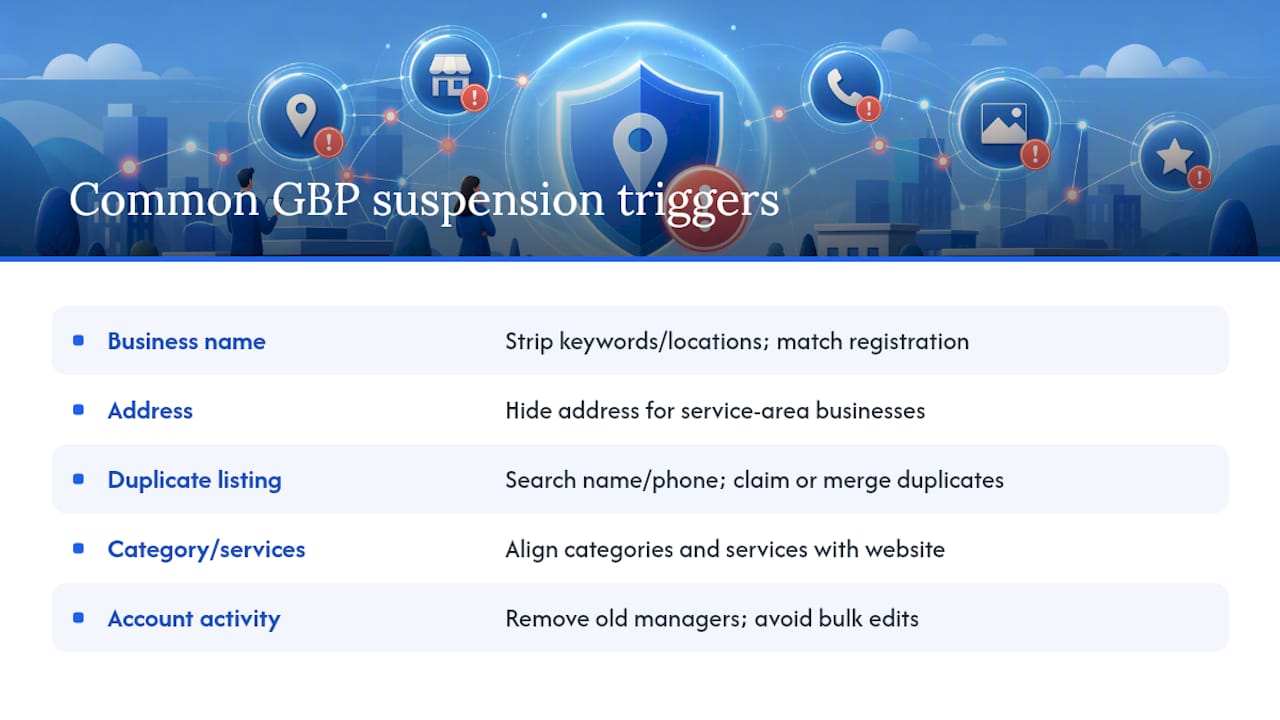
Business name violations. Google's guidelines prohibit stuffing keywords, locations, or taglines into the name field. "Smith Plumbing" is fine. "Smith Plumbing Best Emergency 24/7 Denver" gets flagged. Strip the name back to what's on your registration paperwork and nothing else.
Address problems. If you operate from a home office or serve customers on-site rather than at a storefront, a visible street address is one of the most common suspension triggers for service-area businesses. Switch to service-area business settings and hide the address, or confirm the address matches a real, staffed location if you do have walk-in traffic. A guide to changing a Google Business Profile address walks through both scenarios.
Duplicate listings. Search your business name and phone number to see if a second, older, or auto-generated profile exists. Claim it if you can, then request merging or removal through Google's duplicate listing process. Two profiles for one location almost guarantees a flag eventually.
Category and services mismatches. If your website says "urgent care clinic" but your profile lists "general practitioner," that inconsistency reads as a potential misrepresentation. Align the primary category, secondary categories, and services list with what your website actually states.
Account-level activity flags. Bulk edits made in a short window, a sudden ownership transfer, or several stale manager accounts on one profile all raise risk. Clean out managers you no longer work with and avoid batch-editing multiple fields at once.
Pro Tip: Run a search for your exact business name in quotes before you appeal. If a duplicate or an old franchise listing shows up, deal with that first. Appealing a suspension while a duplicate is live rarely works.
How to Prepare and Submit a Reinstatement Appeal
This is the part readers rush, and rushing is exactly what produces a denial. Slow down here.
- Log in as the primary owner. Open the appeals tool using the account that owns the profile, not a manager account. Select the suspended profile from your account list.
- Attach the right evidence. Google's own guidance points to business registration documents, a current license, a recent utility bill, and supporting photos, all matching the profile's exact name and address. Mismatched suite numbers or an old address on a utility bill will undercut an otherwise solid appeal.
- Respect the 60-minute upload window. Once you open the evidence submission form, you have 60 minutes to attach your files before the session times out and the upload fails. Have every file ready, named, and tested for download speed before you click "start."
- Write a short, factual statement. State what happened, what you fixed (if anything triggered the suspension), and what evidence you're attaching. Skip emotional language, skip threats about switching platforms, and skip repeating the same point three different ways. Google's reviewers read hundreds of these; clarity wins over length.
- Submit once, then wait. Don't file a second appeal while the first is pending. Duplicate appeals don't speed up review, and in practice they tend to confuse the queue rather than help it.
The 60-minute upload constraint trips up more appeals than any other single step, mostly because owners open the form, then go hunting for a scanned utility bill they haven't located yet. Assemble the folder first. Test that each file opens cleanly. Only then start the clock.
Photos carry more weight than owners expect. A dated, clear photo of your storefront signage or your service vehicle with visible branding can support the claim that this is a real, operating business at the stated location. A photo guidelines article for storage and local businesses covers what reviewers look for.
Could the Problem Be Your Google Account, Not Your Profile?
Before you spend another hour on the profile itself, check the account that manages it. A restricted, suspended, or disabled Google Account can pull down every Business Profile linked to it, no matter how clean each individual listing looks. Google's own policy overview confirms that account-level standing has to be resolved before a profile appeal has any real chance of succeeding.
- Check your account notification center and email for a policy violation notice separate from the profile suspension message.
- If the account itself is disabled, use Google's account recovery flow before attempting the profile appeal.
- Change your password, turn on two-factor authentication, and remove any content elsewhere on the account that violates Google's policies.
- Remove managers you didn't personally add or no longer recognize.
- If recovery through the standard flow stalls, escalate through Google's official Business Profile support channels rather than repeating the same recovery attempt.
Skipping this check is one of the most common reasons appeals get denied twice in a row. The profile evidence was fine. The account behind it wasn't.
How Long Does Reinstatement Actually Take?
Most straightforward appeals receive decisions within a few business days to a couple of weeks; more complex cases may take longer.
- Check status directly inside the appeals tool rather than guessing from inbox silence.
- A denial doesn't always mean stop. If you have new or stronger evidence, requesting an additional review is a legitimate next step.
- Don't file a fresh appeal on top of a pending one. It resets nothing and can muddy the review.
- If you've waited well past two weeks with no movement, the Google Business Profile Community forum and its product experts are a reasonable escalation point.
What Should You Do Right After Reinstatement?
Getting the listing back live isn't the finish line. Most repeat suspensions happen within months of the first one, usually from the same root cause left unfixed.
- Run a full NAP audit across your website and every directory listing, correcting even minor punctuation mismatches.
- Keep primary ownership on one trusted account and limit manager roles to people who still work with you.
- Write down your internal process for who can edit the profile and when, so nobody makes an unapproved change again.
- Set a recurring quarterly check of your listing details, categories, and photos.
- Watch for sudden review spikes or unexplained bulk edits, and investigate immediately rather than waiting for another suspension notice.
A 30 day visibility recovery plan is built for exactly this stretch, when your listing is back but your rankings haven't caught up yet.
How Corvane Systems Approaches Reinstatement and Recovery
An evidence-prep process can be built around the same mistakes that show up in denied appeals over and over: mismatched addresses, missing account-level checks, and rushed submissions. The workflow starts with an ownership and access audit, moves to a documented evidence checklist, and ends with a visibility recovery plan for the weeks after reinstatement.
- A visibility audit checklist gives you a structured way to catch NAP issues before they cause a second suspension.
- The Google Posts guide helps you keep visibility signals active once the profile is back online.
- For operators wondering why a restored listing still isn't surfacing in AI assistants, this breakdown of AI visibility explains the gap between Search recovery and AI recommendation recovery.
Why Preparation Beats Speed When Appealing
Most owners treat a suspension like a fire alarm and want to submit something, anything, within minutes. That instinct is exactly backward. The highest-return work happens before you touch the appeals form: confirming primary owner access, matching your evidence to the exact name and address on file, and ruling out an account-level flag hiding behind the profile suspension.
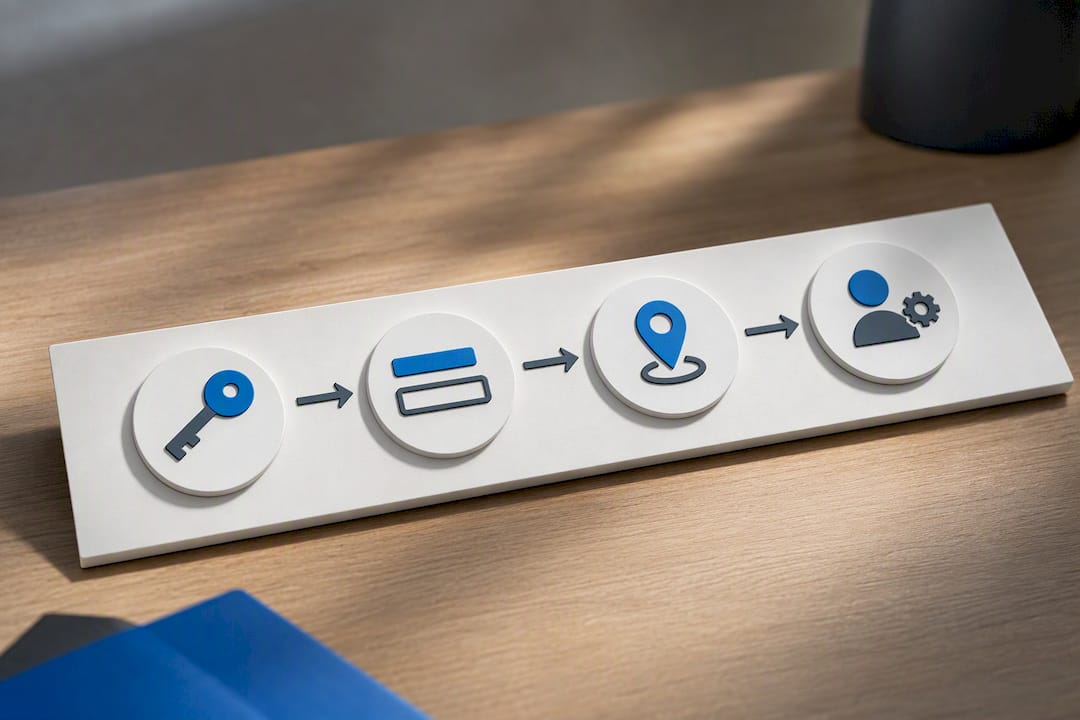
One habit worth stealing: treat your evidence folder like a checklist, not a pile. Every file gets checked against the profile's name and address before it goes in, not after. That single step catches the suite-number mismatch or the outdated utility bill before it becomes a rejected appeal.
The impulsive move, spinning up a second listing or firing off three appeals in a week, doesn't just fail to help. It actively signals the kind of erratic activity Google's systems are built to flag. Slow down, get the documentation right once, and submit it a single time.
— Mike
Get Professional Help Fixing Your GBP Suspension
There is an alternative to guessing your way through a reinstatement appeal: instead of piecing together evidence requirements from scattered help pages, get a checklist-driven process built specifically around what causes GBP suspensions for local operators.

Working with a specialized service on a suspended profile looks like this: an ownership and access audit first, a documented evidence package second, and a NAP consistency sweep across your website and directories before the appeal ever gets submitted. Once reinstated, ongoing local search and AI visibility work helps ensure a restored listing doesn't just sit there quietly. If you'd rather cross-check your findings against another practitioner's take first, this optimization guide covers similar diagnostic ground. When you're ready to fix the suspension and get ahead of the next one, visit Corvane Systems to start the audit.